 PLCU India
The right PLCU wallet must support your exact coin and network, provide a recovery method you understand and remain usable when you need to send. A “best wallet” ranking without those checks is not useful. Do not buy a hardware device or import a seed merely because a guide mentions the brand.
Compatibility comes before hot versus cold
Hot wallets are typically used on internet-connected devices. Cold storage aims to keep signing secrets away from ordinary online exposure. Those categories describe a security approach, not a list of coins automatically supported by every product.
A well-regarded hardware wallet can still be unsuitable if it does not support the identified PLCU chain. Likewise, adding a token name in an app does not establish that the app can sign valid transactions for the native asset. Confirm support through the wallet provider's documentation and the specific version you will use.
This is especially important for older holdings. Recovering an account that once displayed PLCU may involve the Classic asset or another product. Resolve the identity using the PLCU and PLCUC explanation before moving secrets or funds.
What Ultima Wallet documentation establishes
The project's historical whitepaper describes Ultima Wallet as a mobile application for managing keys and coin transactions. That historical description is not a current compatibility matrix for every related ticker or a guarantee that all app-store versions support your holdings.
Start from the verified project source, follow its app-store links and inspect the developer identity. Compare the store page with the app already installed. A similarly named app, sponsored search result or downloadable package sent by a group administrator should not be treated as the same software.
Before funding, inspect the actual receive screen for the asset and network. Find the documented backup and restore process. If the app cannot explain how access is recovered, you do not yet have a sufficient storage plan.
The project also publishes a Ledger Nano S integration guide. Treat it as project-side documentation: verify present app availability, the exact coin version and device support before buying hardware or following installation steps. It is not a blanket compatibility claim for every Ledger model.
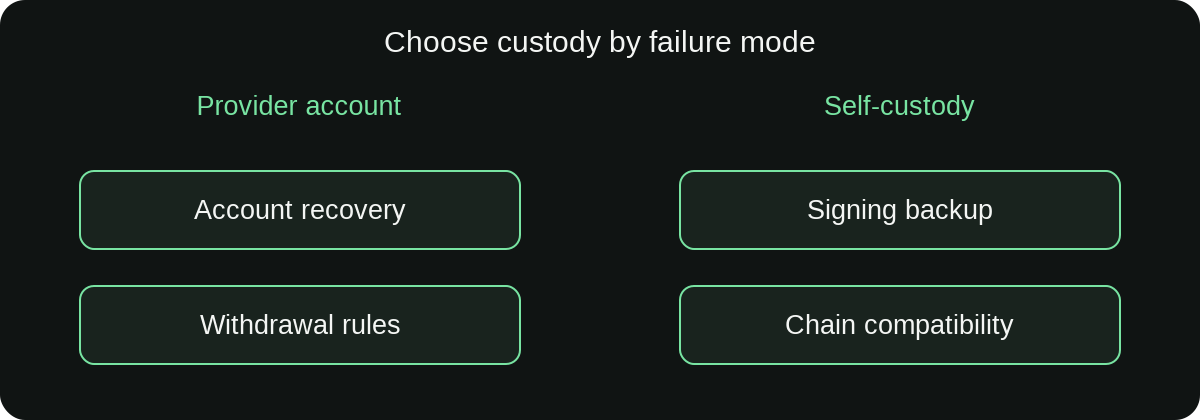
Custodial account and self-custody have different failure modes
In a custodial account, access is generally tied to the provider's account system and withdrawal policies. In self-custody, control depends on signing credentials and the wallet arrangement. Neither model removes every risk; each places responsibility in different locations.
| Question | Custodial account | Self-custody arrangement |
|---|---|---|
| Who authorises asset movement? | Provider's account and service process | Relevant signing keys or wallet controls |
| What can block access? | Account review, service restrictions or provider failure | Lost secrets, compromised device or unsupported software |
| What helps recovery? | Verified provider procedure | Correct backup for the wallet type |
| What still needs checking? | Exact asset and withdrawal support | Exact chain, signing support and backup integrity |
A password manager can protect an exchange login, but that does not mean every seed phrase should be placed in the same system. Keep the recovery method appropriate to the wallet, its threat model and your ability to maintain it.
Binance Wallet is not automatically a PLCU alternative
An exchange account and a Web3 wallet are separate products even when reached through the same app. A coin appearing on a price page does not prove either product supports sending the native coin.
Binance's custom-network documentation describes EVM-oriented custom-network support. It should not be read as a mechanism for adding any blockchain by inventing an RPC and chain ID. If native PLCU support and a legitimate representation cannot be verified, do not import keys or transfer funds to experiment.
The wallet-route investigation covers that compatibility question in detail. Until it is settled, a comparison chart must say support is unverified rather than awarding a platform a higher score.
If you lose the seed phrase
First determine whether the wallet is still accessible on a device. Losing a paper backup while retaining signing access differs from losing all signing access. If you still control the wallet, use its verified documentation to plan a secure migration to a newly backed-up wallet where appropriate.
If both the backup and every valid signing method are gone, an ordinary support agent cannot recreate a secret from a public address. Do not pay someone who guarantees recovery after receiving an advance fee. A legitimate recovery assessment must explain what evidence and access remain, without asking you to expose more secrets publicly.
Also distinguish an app PIN from the underlying recovery secret. Resetting a device or reinstalling an app may destroy the only remaining usable access. Do not take irreversible troubleshooting steps until you know how the wallet is backed up.
Make the backup usable without exposing it
Record recovery material in the exact form required by the wallet, including any additional passphrase where applicable. Keep it away from photographs, public chat and shared documents. The goal is to survive device loss without making theft easier.
Plan for more than one failure: fire, theft, forgetting a location or an inaccessible device. Any additional copy reduces one risk while potentially increasing exposure, so choose storage locations deliberately. Never upload a seed to a website that claims to verify whether the backup is correct.
For larger holdings, document the recovery procedure in a way a trusted successor can understand without leaving the signing secret attached to a public identity. Review that plan when devices or wallet software change. Storage is an ongoing responsibility, not a one-time app download.
A sensible wallet selection outcome
Select a wallet only when compatibility, key control, recovery and outgoing transfer support are established. If no suitable product is verified, do not describe a generic Bitcoin or Ethereum wallet as a PLCU solution. It is better to acknowledge that limitation than create a misleading top-ten list.
Use a limited operational test only after these checks, and retain the transaction evidence. A successful small transfer helps confirm the specific setup; it does not certify the app against every future attack or prove that a trading venue will remain available.
Frequently asked questions
Can a watch-only wallet spend my PLCU?
A watch-only view can display public information without holding the signing authority. Confirm whether your setup actually contains usable signing access before relying on it as a complete recovery solution.
Should I restore a backup on an unfamiliar borrowed phone?
Avoid exposing signing secrets on a device you do not control. Arrange a trusted environment and verified software; deleting the app afterwards does not prove the borrowed device retained nothing.
What if I can unlock the app but the send function no longer works?
Preserve the existing access and investigate software, network and signing support before reinstalling. An unlocked interface does not alone establish that the credentials or outgoing transaction path are usable.